Native macOS · CodeMirror 6
A Markdown editor built for programmers.
Nested notebooks, highlighting for 50+ languages, Mermaid and KaTeX preview, tags, statuses and revision history with diffs. Every note is a plain .md file with YAML front-matter — any editor opens it, today and in ten years.
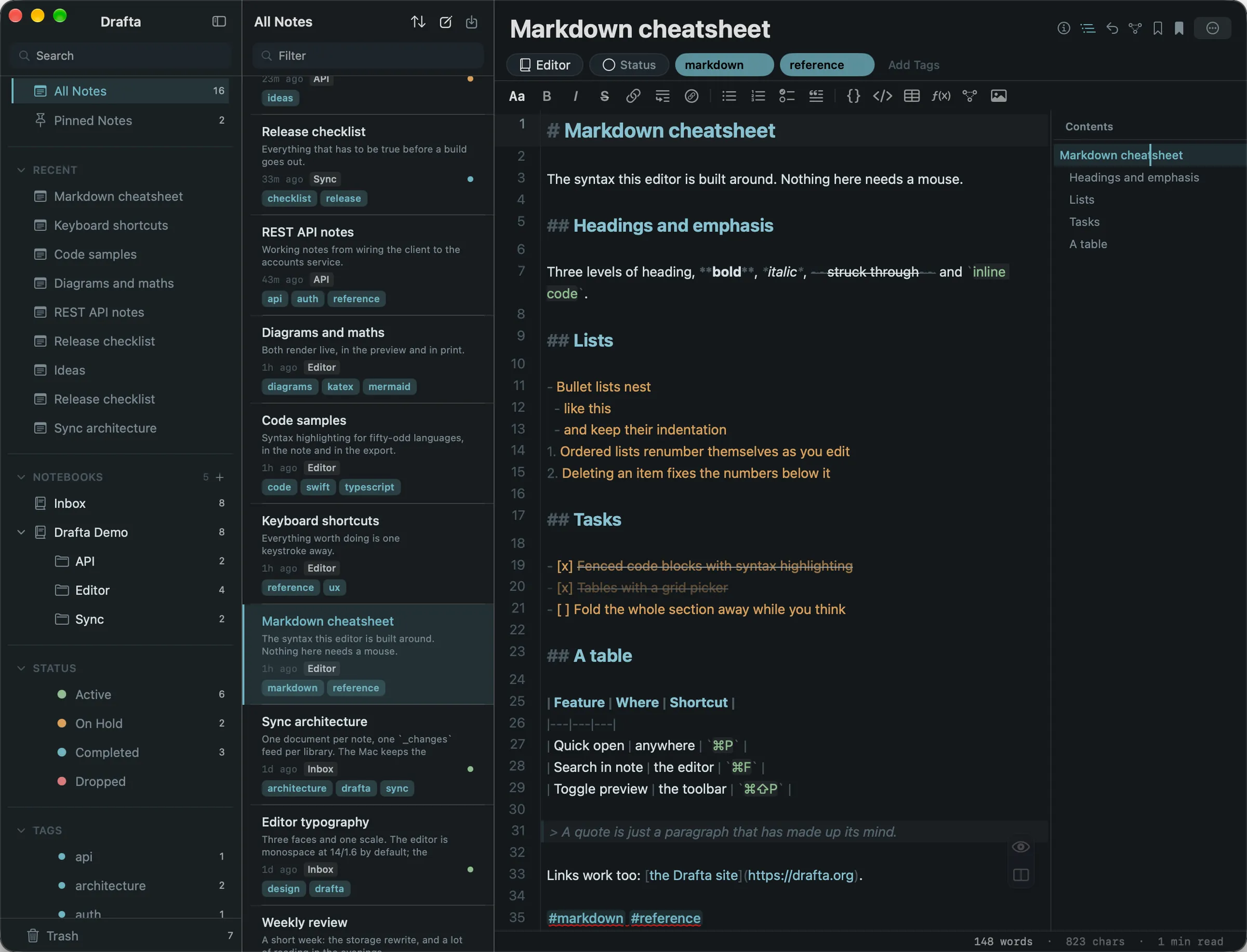
Native, not Electron
Swift and SwiftUI, with CodeMirror 6 in a WebKit view. A Mac app with no bundled browser engine.
Your notes are files
Plain Markdown with YAML front-matter on your disk. Open it in VS Code, grep it, keep it for good.
No lock-in
No proprietary format holds your notes. If you ever leave Drafta, your library is already ordinary Markdown files on your Mac.
What’s inside
Everything a programmer needs from a notes app.
Editor, preview, or both at once
Three view modes, one click apart: the editor, the rendered preview, or split with synchronised scrolling. Tables get a grid picker, Mermaid and KaTeX render live, dashes and spacing are tidied as you type.
- Editor, preview and split modes
- Live preview for tables, Mermaid and KaTeX
- Table of contents, backlinks, search with ⌘ F
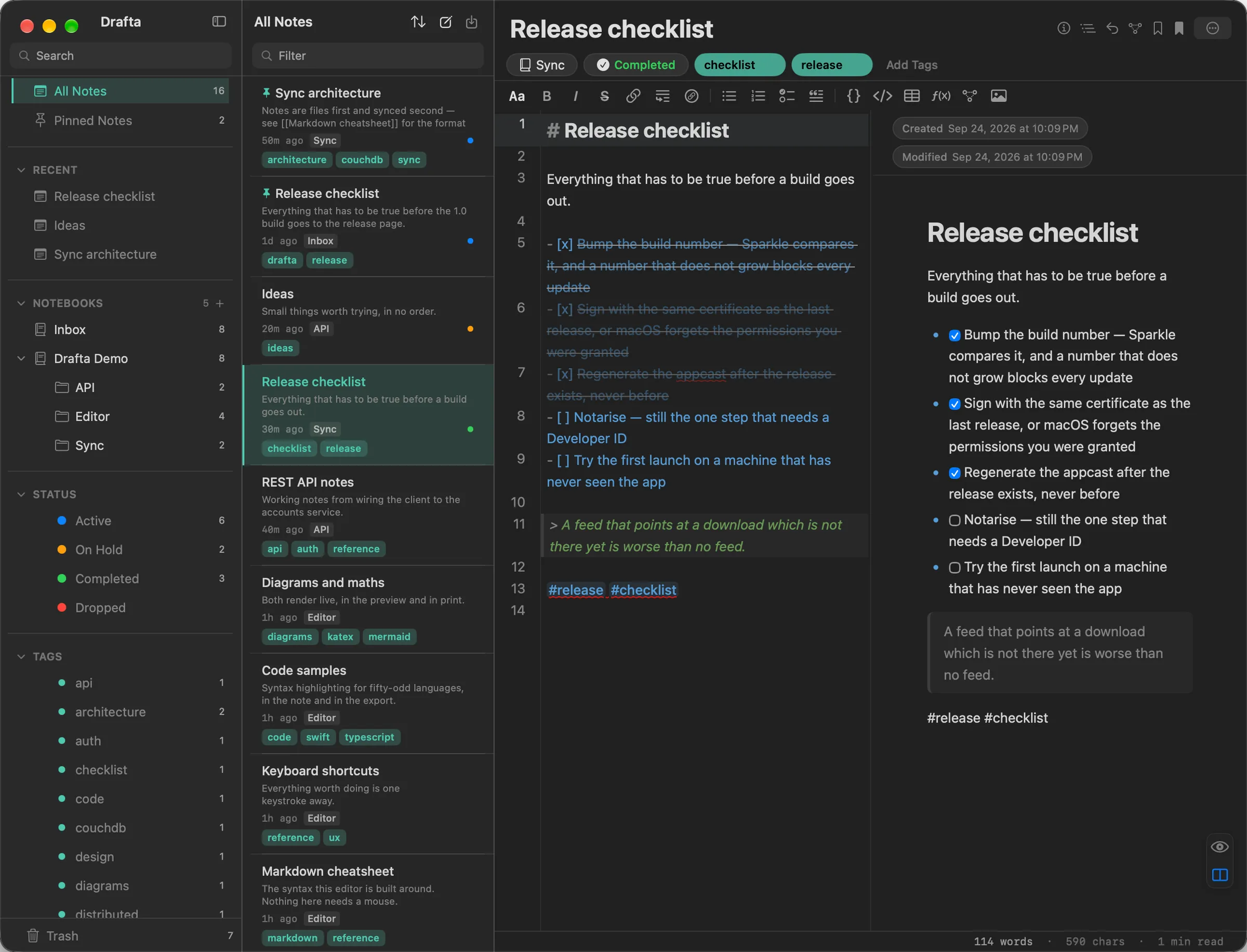
Notebooks, tags, statuses
Notebooks nest as deep as you need. Tags are picked up from the text and can be managed by hand, each with its own colour. A note carries a status — Active, On Hold, Completed, Dropped — so a side project waits its turn instead of being deleted.
- Nested notebooks, no depth limit
- Automatic tags, manual control, a colour per tag
- Pinned notes, trash, note statuses
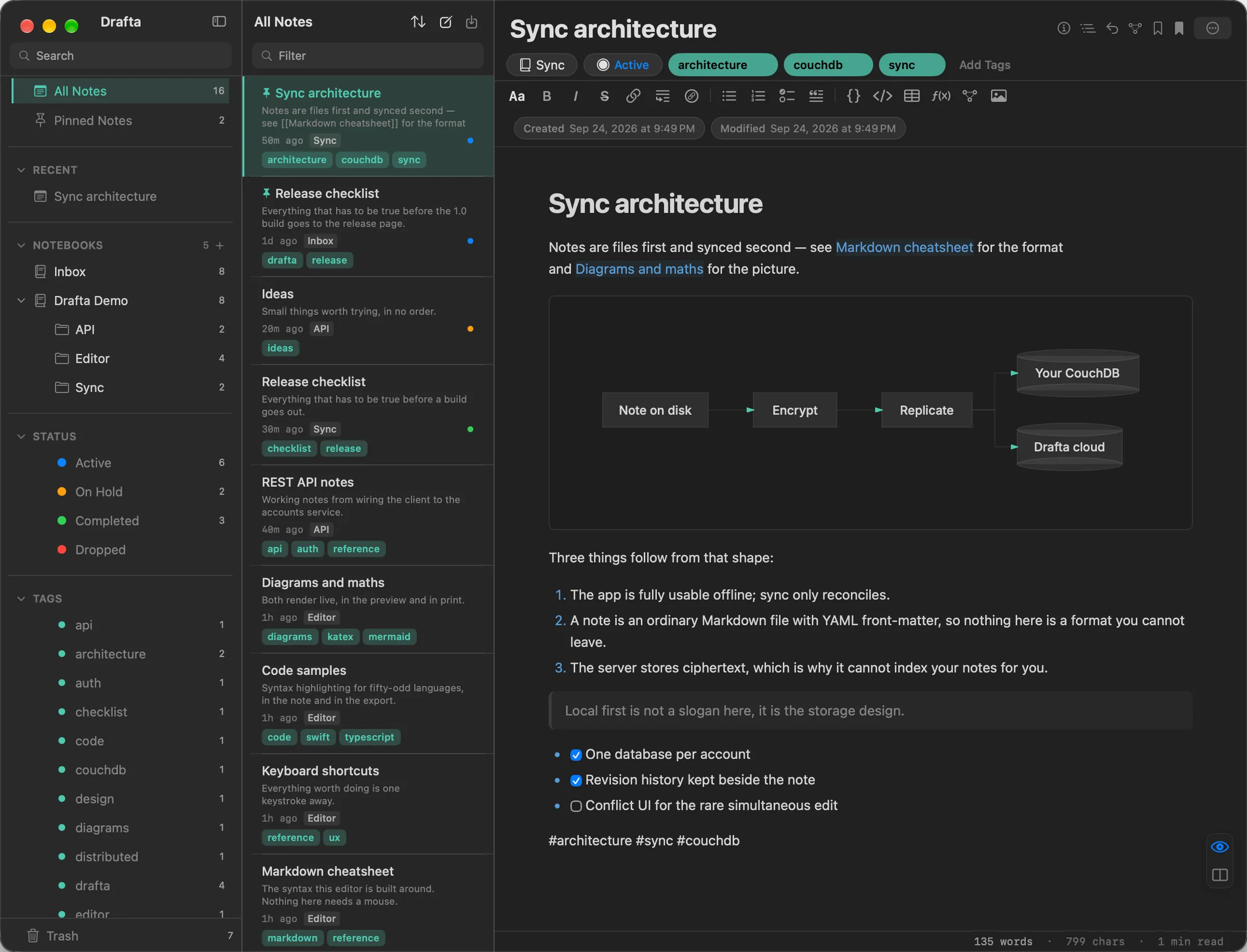
History you can actually read
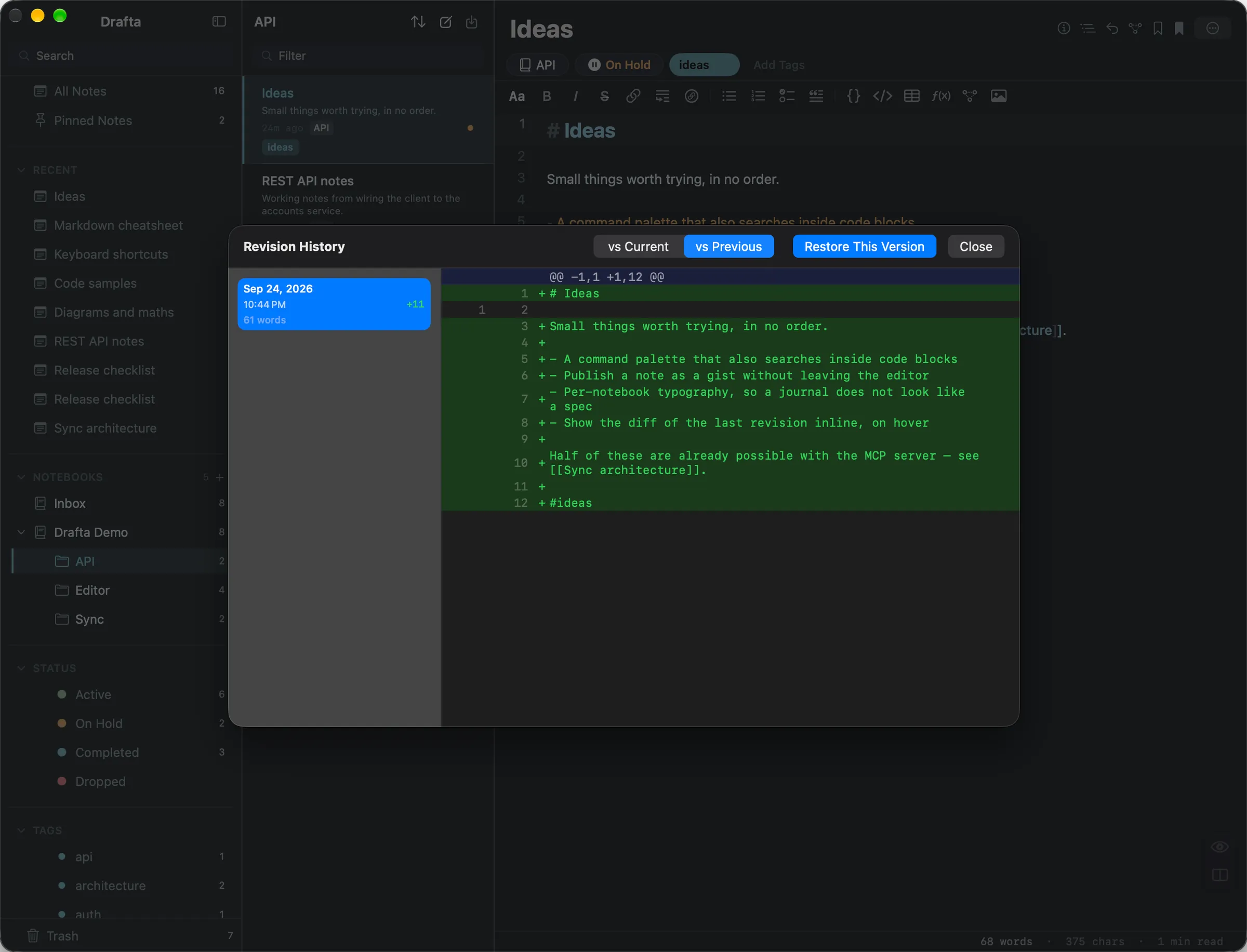
Drafta keeps up to 30 revisions per note on your disk — including a copy of the old text whenever an assistant rewrites a note through MCP. Open the unified diff, see what changed, restore any version.
- Up to 30 revisions per note
- Unified diff view
- Restore any revision in one click
Shipped in 1.0
Everything in the box
No feature tiers, no locked panels. This is what the app does today.
CodeMirror 6, 50+ languages
The editor that also powers Inkdrop, with highlighting for Python, Rust, TypeScript, Go, SQL, YAML, Bash and forty more. Three view modes — editor, preview, or split with synchronised scrolling. A grid picker for tables, live Mermaid and KaTeX, dashes and spacing tidied as you type. A table of contents, backlinks, a graph of linked notes and search with ⌘ F. $…$ fences work as you would expect.
A library you can steer
Notebooks nest without limit, and notes drag between them. Tags come from the text automatically, by hand where you want, with a colour each. Statuses — Active, On Hold, Completed, Dropped — pinned notes and trash stay a keystroke away: ⌘ P is fuzzy search across every note.
Your history and your skins
Up to 30 revisions per note, a unified diff and one-click restore. Eleven themes ship: five signature ones — Graphite & Ochre, Vellum, Fjord, Phosphor, Amethyst Glass — plus Default Light, Default Dark, Drafta Dark, Dark Islands, Tokyo Night and Solarized Dark. A JSON theme of your own drops straight in.
In and out, on your terms
Import .md and .html (Bear format); export PDF, DOCX, HTML or Markdown, with local images carried along as attachments. Updates arrive on their own: Sparkle checks once a day, or on demand from Drafta → Check for Updates…
An assistant, and an MCP server
⌘ J opens the assistant with your own API key: Anthropic (claude-haiku-4-5), OpenAI (gpt-4o-mini) or DeepSeek (deepseek-chat). The MCP server ships inside the app and gives Claude and other MCP clients 12 tools to search, read and write your whole library. Run it read-only and the write tools disappear.
Security
Encrypted on the way up, plain files on your disk.
Both halves are the promise: I cannot read the copy in the cloud, and the copy on your Mac is yours to open, read and keep.
Unreadable in the cloud. Ordinary Markdown on your Mac.
The same promise, kept twice
- AES-256-GCMnotes sealed on your Mac before they are sent
- 2passwords: one signs you in, the library one never leaves your Mac
End-to-end encrypted sync
Notes are sealed with AES-256-GCM on your Mac before they are sent, under a key derived from your library password through PBKDF2-HMAC-SHA256. The service stores ciphertext and never holds the key. Those are the exact primitives — check them.
Two passwords, two jobs
Your account password signs you in and goes to the server over TLS, like any sign-in. Your library password is separate, never leaves your Mac, and is where the encryption key comes from. The server can tell it is you; it cannot decrypt your notes.
What the cloud can see
Your account email and plan. For each note: its id, its last-updated time — which decides last-writer-wins between your Macs — and the size of the encrypted payload. Title, body, tags and attachments stay ciphertext.
On your disk: ordinary Markdown
The library on your Mac stays plain Markdown files. Encryption protects the sync path, not your disk — grep, git and Obsidian keep working, and FileVault protects the disk itself.
A library password nobody can reset
The server never had it, so nobody can recover it for you. Your notes on this Mac stay readable files either way; the encrypted cloud copy opens only with that password.
Two places for the cloud copy
Cloud storage through your Drafta account is the default, and it is what the plan covers. Connect your own CouchDB instead and it stores with no quota — locally or on a server you control.
Local first
Your notes are files, not rows in someone’s database.
Drafta keeps the library on your disk: one Markdown file per note, YAML front-matter for tags and status, revisions in a folder beside it. No closed format stands between you and your writing, and changing plan cannot strand it. The cloud copy is encrypted under a key you hold, not the service — so it stays yours off your disk too.
Plain text means your toolchain already works: grep across everything, commit the library to git, open a note in VS Code or Obsidian, cat it in a terminal. Drafta is a native Swift app — no Electron runtime underneath and no bundled browser to keep hot.
- Plain Markdown with YAML front-matter on your disk
- Up to 30 revisions per note, stored locally
- No proprietary database, no export-only escape hatch
- Version control, grep and any other editor keep working
- 30revisions per note kept on disk
- 0proprietary databases
- 50+languages highlighted
- .mdwhat every note stays
Pricing
One plan, everything included.
Monthly or annual billing for the same app. Every new account starts with a 30-day trial — no card needed.
30-day trial on every new account — no card required. When it ends, the app turns read-only until you pick a billing period, monthly or yearly: every note stays on your Mac and stays readable. There is no second tier and no lifetime licence. Payment is not connected yet, so nothing is charged today.
The plan includes the full app: CodeMirror 6 editor, notebooks, tags, statuses, revision history, themes, import and export. The two billing periods differ in how you pay, not in what you get. Prices are in US dollars.
FAQ
Questions worth answering
What does Drafta require?
macOS 15 or later, on Apple Silicon or Intel. It is a native Swift and SwiftUI app — not a web app, not an Electron shell.
How do I install it?
Download the DMG from the latest release, open it and drag Drafta.app into Applications. The build is not notarised yet, so macOS blocks the first launch: open System Settings → Privacy & Security, scroll to the message about Drafta, click Open Anyway and confirm. macOS asks only once.
How do updates work?
They arrive by themselves. Sparkle checks drafta.org/appcast.xml once a day; Drafta → Check for Updates… does it on demand.
Is there a trial, and does it need a card?
Every new account gets 30 days, and no card is needed to start. When the trial ends, Drafta turns read-only: you can open, search and read every note, while creating, editing and exporting wait for a plan — monthly or yearly. Payment is not connected yet.
Where do my notes live?
On your disk: one Markdown file per note with YAML front-matter, revisions in a folder beside them. Nothing in the storage format is proprietary — stop using Drafta and your notes still open anywhere.
Do I need an account to use the app?
Yes. The account starts your trial, carries your plan and — unless you connect your own CouchDB — keeps an encrypted cloud copy of your notes. Its password only signs you in; the notes are encrypted with a separate library password that stays on your Mac.
What does a plan include?
There is one plan, paid monthly or yearly. The cards above show storage and note limits read from the accounts API, so this page never quotes a quota the service does not enforce.
Is my data encrypted?
On the way to the cloud, yes — end to end. Notes are sealed with AES-256-GCM on your Mac under a key derived from your library password through PBKDF2-HMAC-SHA256. The boundary, precisely: this protects the sync path, not your disk. The library on your Mac stays ordinary Markdown files any editor reads; FileVault protects the disk.
Can you read my notes?
Not the synced copy. There are two passwords: the account password goes to the server to sign you in; the library password never leaves your Mac, and the encryption key comes from it. The server can authenticate you, but it stores only ciphertext and has no key to open it. For each note it sees the id, the last-updated time — which decides last-writer-wins between your Macs — and the size of the encrypted payload.
What if I forget my library password?
I cannot reset it: it never reached the server. The notes on your Mac stay plain Markdown files, but the encrypted cloud copy opens only with that password — keep it in a password manager.
Which AI providers does the assistant use?
The one you bring a key for: Anthropic (claude-haiku-4-5), OpenAI (gpt-4o-mini) or DeepSeek (deepseek-chat). Keys are stored in the macOS Keychain.
What can the MCP server do?
It ships inside the app and gives Claude and other MCP clients 12 tools over your whole library: search and read notes, list notebooks and tags, read the formatting guide; create, append to, update, tag, re-status and trash notes; create notebooks. A rewrite keeps the previous text as a revision. Want an assistant that only looks? Run the server read-only and the write tools disappear.
Where is my data stored?
In two places, both yours. Locally: plain Markdown files in your library folder, plus revisions. In the cloud: storage through your Drafta account by default, and that is what the plan’s quota covers. Rather not use it? Connect your own CouchDB — no quota, locally or on your own server.
What if I use a PC or Linux?
Not yet. macOS is available today; Windows and Linux are planned on Rust and Tauri. That lives in the roadmap, not in the app.
Roadmap
What’s next, stated plainly
Where things stand, including the parts that are not finished.
- macOS app — the full editor: CodeMirror 6, notebooks, tags, statuses, themes, revision history, import and export, AI assistant, MCP server, cloud sync and your own CouchDB, auto-update.Available
- Notarisation and Developer ID — removes the Open Anyway step on first launch. Until it lands, the DMG is not notarised and macOS asks you to confirm once.In progress
- iOS — an iOS target alongside macOS. Not released, and I will not put a date on it before it is done.In progress
- Windows and Linux — a Rust and Tauri build. Planned, not started; the macOS app comes first.Planned